
A practical, source-checked walkthrough for moving a long-running AI project between conversations without relying on chat history alone. Learn what belongs in a checkpoint, how to use ChatHandoffKit locally, what the files mean, and how to handle Git, Google Drive and privacy carefully.
Your next AI conversation should not start the project from scratch
Picture a small software project built with an AI assistant over several weeks. By the fifth conversation, you have agreed on the database, rejected one integration approach, fixed a recurring bug, and decided what to implement next. Now you open a new chat.
You can paste the entire old conversation, but that is noisy and may omit the very details you need. You can write a short summary, but a vague sentence such as “the API is almost ready” hides what was actually tested.
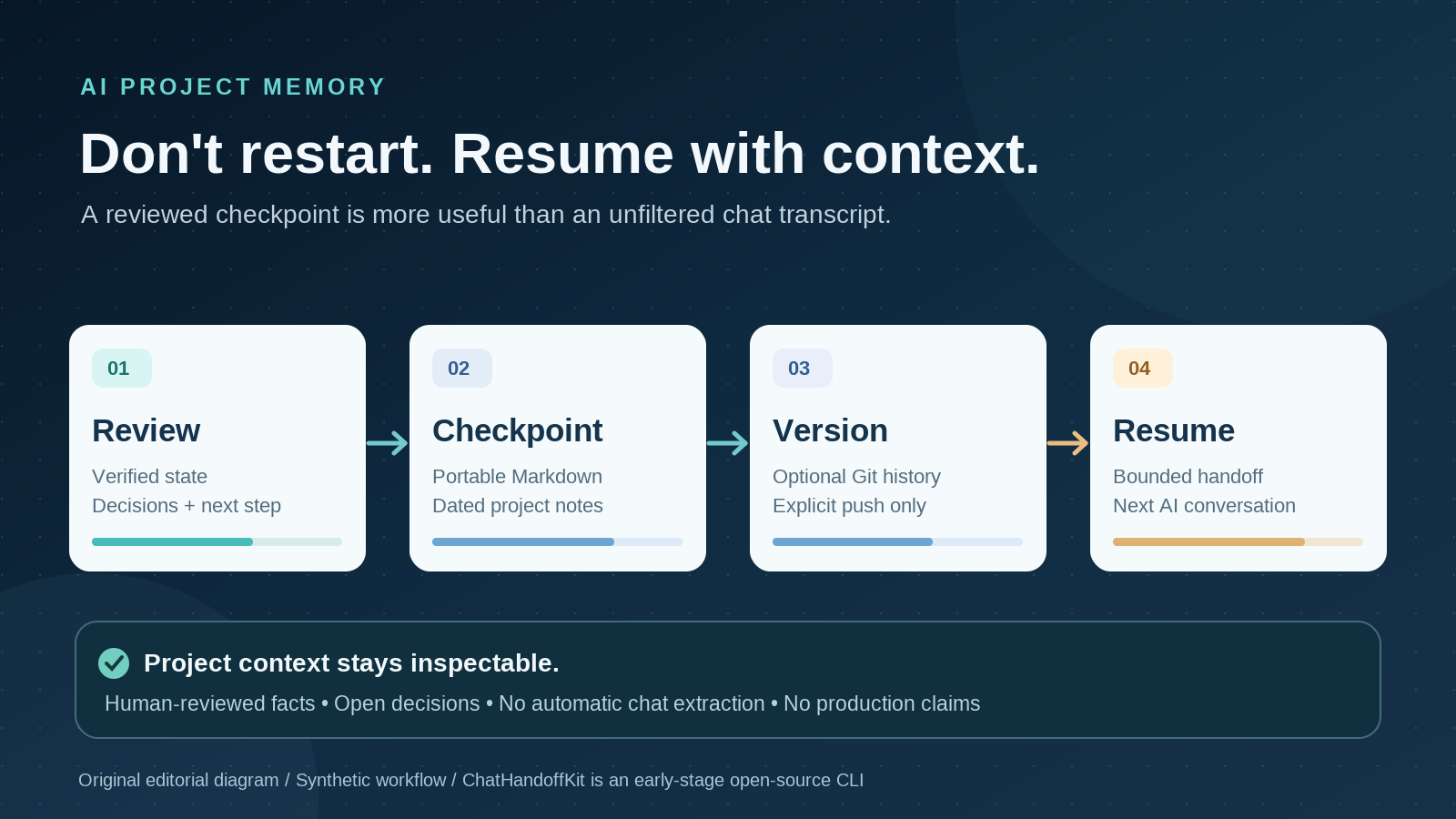
A better handoff is a small set of reviewed project documents: current state, important decisions, known failures, and the next action. This article walks through that approach using the public ChatHandoffKit command-line tool.
This is a practical follow-up to my earlier introduction to ChatHandoffKit. Here the emphasis is on how to operate a checkpoint-and-resume workflow, not why I created the project.
In brief
- Write down verified facts, pending questions and the next action separately.
- Store them in portable, readable Markdown rather than only in a chat transcript.
- Create an explicit checkpoint after a meaningful project change.
- Review the files and optionally commit them to Git.
- Give the next chat a bounded handoff, not an unfiltered conversation dump.
The tool does not automatically export ChatGPT history, fact-check its contents or recover conversations it cannot access.
1. Decide what deserves to survive the conversation
Not every message is project memory. A useful checkpoint contains information that a future collaborator would otherwise have to rediscover.
| Keep | Example from a fictional task app | Why |
|---|---|---|
| Objective and scope | “Prototype a local task manager; no production user accounts” | Prevents the goal from drifting |
| Current verified state | “Task schema drafted; API endpoint not yet implemented” | Stops a draft from becoming a completion claim |
| Decision and rationale | “Use SQLite for the local demonstration” | Preserves the reason behind the choice |
| Known problem | “The earlier approach made task IDs unstable” | Avoids repeating a failed path |
| Next concrete action | “Implement a minimal task API with synthetic fixtures” | Makes the next session actionable |
| Open question | “Do we need concurrent edits in this demo?” | Keeps uncertainty visible |
These are fictional examples, not results from an installed system. In a real project, distinguish an observed result from an assumption. “A test passed on synthetic input” is useful. “The system is production-ready” requires substantially more evidence.
A checkpoint also benefits from a simple rule: record why a decision was made, not just what was selected. If the constraints change, the rationale tells you when to reconsider it.
2. Keep state, decisions and history in different files
ChatHandoffKit creates a project workspace with seven Markdown documents:
| File | Its job |
|---|---|
START_HERE.md |
Entry point and navigation for a returning reader |
PROJECT_CONTEXT.md |
Objective, boundaries and stable background |
CURRENT_STATE.md |
Present state and the next step |
DECISIONS.md |
Significant choices and their reasons |
PROMPTS.md |
Reusable instructions that are worth retaining |
ERRORS_AND_SOLUTIONS.md |
Troubleshooting and lessons already learned |
SESSION_LOG.md |
Dated record of checkpoints |
The separation is deliberate. The latest state can change while the reasoning and history should remain inspectable. In the current implementation, a checkpoint updates a marked section of CURRENT_STATE.md, appends a session entry, and optionally adds a decision. Notes outside that marked state section are preserved.
The format remains ordinary Markdown. A reader can inspect it without installing the CLI, although the CLI automates creation, updates and handoffs.
3. Run a local checkpoint with synthetic data
This example follows the public project’s offline workflow guide. It does not call an AI service or connect to a real task-management system.
Start from a local checkout of the ChatHandoffKit repository. The project expects Python 3.10 or newer and Git for the optional version-control path. Install it in a virtual environment:
python -m venv .venv
# Activate the environment, then:
python -m pip install -e .
Now create an entirely fictional workspace:
chathandoff init --root demo-memory --git
chathandoff create demo-tasks --root demo-memory \
  --title "AI-assisted Task App" \
  --objective "Prototype a fictional task-management application"
Before changing files, preview the checkpoint with --dry-run:
chathandoff checkpoint demo-tasks --root demo-memory \
  --state "Task model drafted with synthetic sample data" \
  --next "Implement a minimal local task API" \
  --decision "Use SQLite for this offline demonstration" \
  --dry-run
After reviewing the preview, remove --dry-run to record the checkpoint:
chathandoff checkpoint demo-tasks --root demo-memory \
  --state "Task model drafted with synthetic sample data" \
  --next "Implement a minimal local task API" \
  --decision "Use SQLite for this offline demonstration"
These commands illustrate the documented interface; they are not a claim that I executed this example against a live account for this article. In Windows PowerShell, put multiline commands on one line or use PowerShell’s backtick continuation rather than the Bash backslash.
4. Validate the memory, then resume in a new chat
After the checkpoint, review the Markdown manually. Use the CLI’s basic structural and secret-pattern checks and produce a bounded handoff:
chathandoff validate --root demo-memory
chathandoff resume demo-tasks --root demo-memory --output handoff.txt
Then supply the resulting handoff text to your next AI conversation, with an instruction such as:
Continue the fictional task app from this reviewed project handoff. Treat recorded test results as verified only where the document provides evidence. Distinguish completed work from proposals, identify unresolved questions, and recommend one next action. Do not invent missing history.
This is the core design choice: the assistant receives selected project context, not a promise of perfect memory. It can still misunderstand or overlook information. Review the first proposed next step before letting it change code or data.
5. When is Git useful, and what does a safe sync mean?
Git can add a change history to otherwise plain documents. A commit preserves a snapshot, making it easier to see when a decision or status changed. The underlying concept is explained in GitHub’s introduction to Git.
ChatHandoffKit supports optional commits and an explicitly configured standard Git remote. A conservative workflow is:
- Inspect the generated files and remove any credentials or private records.
- Commit only the reviewed project-memory files.
- Configure an empty, private remote repository and your normal Git authentication.
- Preview synchronization with
chathandoff sync --root demo-memory --dry-run. - Run
chathandoff sync --root demo-memoryonly when the preview and destination are correct.
init --git does not publish anything by itself. The tool uses ordinary Git transport, not an independent GitHub REST adapter or automatic repository creator. Its sync path refuses divergent remote history instead of force-pushing. That is a safety boundary, not a guarantee against every concurrent-edit problem.
The public Git setup guide covers the first commit, authentication and divergent history in more detail.
6. What about Google Drive?
Version 0.2 includes an optional, experimental Google Drive adapter for plain Markdown files—not native Google Docs. It uses a desktop OAuth flow with the scoped drive.file permission and offers explicit push and pull operations.
The scope is intended to limit access to files associated with the application; it does not grant unrestricted reading of an entire Drive account. Google’s Drive authorization documentation explains the permission model.
There is a key distinction between implementation and acceptance testing. ChatHandoffKit’s Drive code and offline fake-API tests exist, and an OAuth diagnostic command was added. However, the repository’s live OAuth acceptance checklist is explicitly not a completed real-account test. Do not assume that Google authorization, a full push/pull round trip or conflict handling has been validated against a live account.
The adapter also does not automatically merge conflicts, delete files or continuously synchronize GitHub and Google Drive. For important data, use reviewed backups and a tested workflow rather than treating an experimental adapter as a production backup system.
7. Common failure modes and how to avoid them
| Failure mode | Better approach |
|---|---|
| Writing “done” for something only proposed | Use planned, implemented and tested distinctly |
| Keeping only the latest summary | Preserve decision reasons and dated history |
| Dumping every old message into a new chat | Supply a bounded handoff plus links to source files |
| Allowing an assistant to invent gaps | Ask it to flag unknowns and request evidence |
| Committing private data to a public repo | Review every diff; use a private destination where appropriate |
| Treating a secret scanner as a guarantee | Use independent manual review and proper access controls |
| Assuming a timed-out sync or Drive operation failed | Inspect the authoritative remote state before retrying |
One subtle limitation matters: a checkpoint modifies several Markdown files, but the local file updates do not form a distributed, atomic transaction. The tool also cannot determine whether the project facts you provide are accurate. Good project memory is a review process supported by a tool, not a tool that manufactures trustworthy evidence.
Frequently asked questions
Can ChatHandoffKit read all of my ChatGPT conversations automatically?
No. Its checkpoint content must be supplied and reviewed by a person or an assistant that actually has access to the relevant conversation. There is no automatic account-wide chat extraction.
Is a Markdown handoff a replacement for the repository?
No. It helps a new conversation understand status and decisions. Code, tests, issues and source documents remain authoritative evidence for their respective claims.
Do I need GitHub to use it?
No. Local Markdown checkpoint and resume operations are the baseline. Git and the experimental Drive adapter are optional storage paths.
Can I trust the built-in validation to catch every secret?
No. It includes basic structural and pattern-based checks, not a complete confidentiality review. Never store passwords, tokens or sensitive business data in public example projects.
Does the Google Drive integration work in production?
That has not been established by the documented evidence. The adapter has offline coverage, but live-account OAuth and end-to-end acceptance are pending.
A practical rule for your next project
At the end of each meaningful work session, answer four questions: What changed? What evidence supports that? Why was the decision made? What exactly happens next? Put those answers into files that another person—or another AI conversation—can read without guessing.
That modest habit is the useful part of portable project memory. ChatHandoffKit offers a transparent implementation of the habit, but the quality of the handoff still depends on the quality of the review.
Start here: ChatHandoffKit source and README · Offline demo · Earlier design story